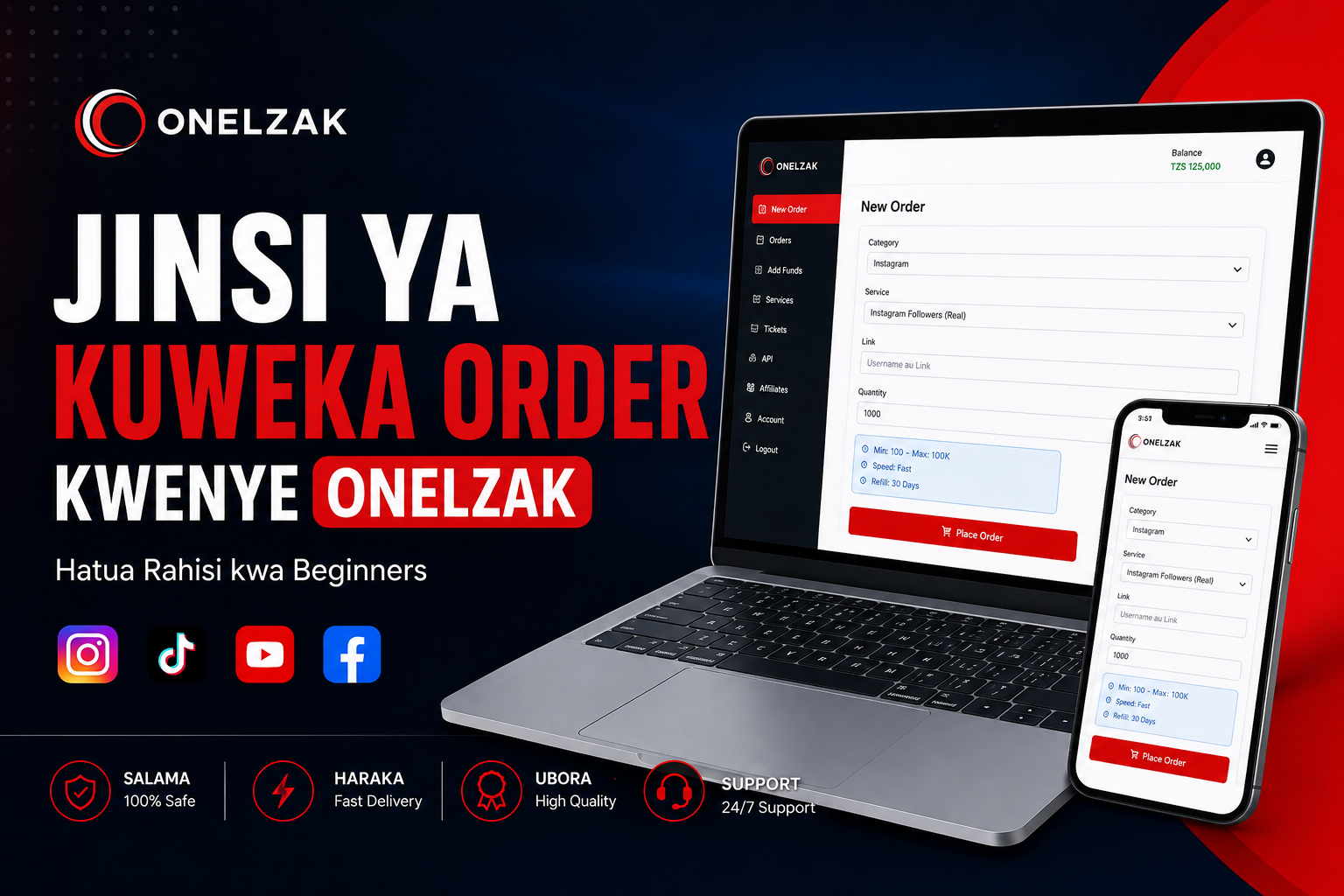
How to Place an Order on Onelzak
ONELZAK Aug 3, 2026 Guides and Tutorials
If this is your first time using Onelzak, placing an order is simple. This guide will walk you through each step so you can submit your order correctly.
Step 1: Log in to your account
Open Onelzak and log in using the details you used when creating your account.
Step 2: Open New Order
After logging in, go to New Order. This is where you can choose the service you want.
Step 3: Choose a Category
Select the appropriate Category for the platform you want to use, such as Instagram, TikTok, YouTube, or Facebook.
Step 4: Choose a Service
Select the Service that matches your needs. Read the service description carefully to check the start time, minimum and maximum quantity, and any other service conditions.
Step 5: Enter the Link or Username
Enter the correct link or username required by the service. Make sure the link works and that the account or post is public when the service requires it.
Step 6: Enter the Quantity
Enter the quantity you want to order and make sure it is within the minimum and maximum limits shown for the service.
Step 7: Review and submit your order
Review the service, link, quantity, and total charge. If everything is correct, click Place Order to submit your order.
After submitting the order, you can track its status from the Orders section of your account.
Important: Always use the correct link and avoid placing multiple orders for the same link at the same time unless the service conditions specifically allow it.